
RTX PRO 6000 Blackwell for University Engineering Labs: Workstations, AI, and When H200 or B300 Makes Sense
A university GPU purchase should serve more than one benchmark or department. RTX PRO 6000 Blackwell combines professional graphics, CUDA computing, 96 GB of error-correcting memory, and modern low-precision AI in a form that fits workstations and conventional servers. That breadth makes it unusually relevant to mechanical, civil, electronics, production, and computer-science programs—but H200 and B300 remain stronger choices for a different class of centralized AI and HPC workload.
First, “RTX 6000” Is Not One GPU
The name has been used across several NVIDIA professional GPU generations. A quotation that simply says “RTX 6000” can therefore refer to products with very different memory capacity, architecture, power, and AI support. Procurement documents should include the complete generation and edition name.
| Product name | Architecture | Memory | How to read it |
|---|---|---|---|
| Quadro RTX 6000 | Turing | 24 GB GDDR6 | An older professional visualization card; the “Quadro” name distinguishes it from later RTX 6000 generations. |
| RTX A6000 | Ampere | 48 GB GDDR6 ECC | A widely deployed workstation GPU for visualization, CUDA, and professional applications. |
| RTX 6000 Ada Generation | Ada Lovelace | 48 GB GDDR6 ECC | A newer 300 W professional card with stronger graphics and AI capability than A6000. |
| RTX PRO 6000 Blackwell | Blackwell | 96 GB GDDR7 ECC | The current family, available as Workstation, Max-Q Workstation, and Server editions. |
NVIDIA's RTX 6000 Ada specification lists 48 GB of ECC GDDR6 and a 300 W board power. The current RTX PRO 6000 Blackwell family doubles memory to 96 GB of ECC GDDR7. That memory increase can determine whether a large assembly, simulation dataset, renderer scene, or local model runs on one GPU at all.
The Three Current RTX PRO 6000 Blackwell Editions
| Edition | Cooling and power | Best institutional fit |
|---|---|---|
| Workstation Edition | Active double flow-through cooling; up to 600 W. | One or two maximum-performance GPUs in a properly designed tower workstation. |
| Max-Q Workstation Edition | Active cooling; 300 W. | Power-constrained labs, denser workstations, and configurations where aggregate throughput matters more than one GPU's peak. |
| Server Edition | Passive cooling; configurable 400–600 W. | Rack servers engineered to move chassis air through passive accelerators and serve shared remote workloads. |
All three share 96 GB GDDR7 ECC and PCIe Gen 5 x16, but they are not interchangeable. A passive Server Edition card depends on server airflow; it is not a quiet workstation card without a fan. The 600 W Workstation Edition also needs a validated chassis, power supply, thermal path, and surrounding slot clearance. University tenders should specify the complete system—not a GPU in isolation.
Why Blackwell Helps Both Simulation and AI
Blackwell is not one trick. The RTX professional implementation combines conventional CUDA cores, fourth-generation ray-tracing cores, fifth-generation Tensor Cores, a large frame buffer, display capability, media engines, and professional software support. NVIDIA's RTX Blackwell architecture paper describes added FP4 and FP6 Tensor Core support and a second-generation FP8 Transformer Engine alongside graphics and simulation improvements.
For simulation, capacity and bandwidth often matter before fashionable AI TOPS. A solver or post-processing tool must first support GPU acceleration, and its working set must fit. The 96 GB local frame buffer gives large meshes, assemblies, textures, point clouds, and multi-physics pipelines more room, while ECC helps detect and correct memory errors in long-running professional workloads.
For AI, the Tensor Cores accelerate matrix operations at several precisions. The Transformer Engine and software stack can select or scale lower-precision data where supported, moving fewer bytes and performing more operations per cycle. This is why architecture, numeric format, memory, kernels, and model preparation must be considered together: a “4-bit capable” badge alone does not guarantee a four-times-faster application.
FP8, MXFP4, and NVFP4 in Plain Language
Lower precision stores each number using fewer bits. That reduces model memory and memory traffic, and specialized hardware can process more values at once. The tradeoff is that fewer representable values can introduce quantization error. Scaling tells a small format which local range of values it needs to represent.
| Format | How it represents values | Practical interpretation |
|---|---|---|
| FP8 | Eight bits per floating-point value, with variants chosen for range or precision. | More numerical headroom than 4-bit formats; widely useful for accelerated training and inference where the model and framework support it. |
| MXFP4 | Four-bit E2M1 values share a power-of-two scale across a block of 32 values. | Very compact and standardized, but a large block and coarse shared scale can make outliers harder to represent accurately. |
| NVFP4 | Four-bit E2M1 values use a more precise FP8 scale for each block of 16, plus a second scaling level. | Finer, more adaptive scaling generally reduces 4-bit accuracy risk, with hardware and software support required to realize the benefit. |
NVIDIA's NVFP4 explanation details those block sizes and scale types. Compared with FP16, 4-bit weights can require up to four times less storage in the idealized weight-only comparison. Real memory use also includes caches, activations, runtime workspaces, and sometimes higher-precision layers; real speed depends on optimized kernels and whether the model tolerates quantization.
A Shared Platform Across Engineering Departments
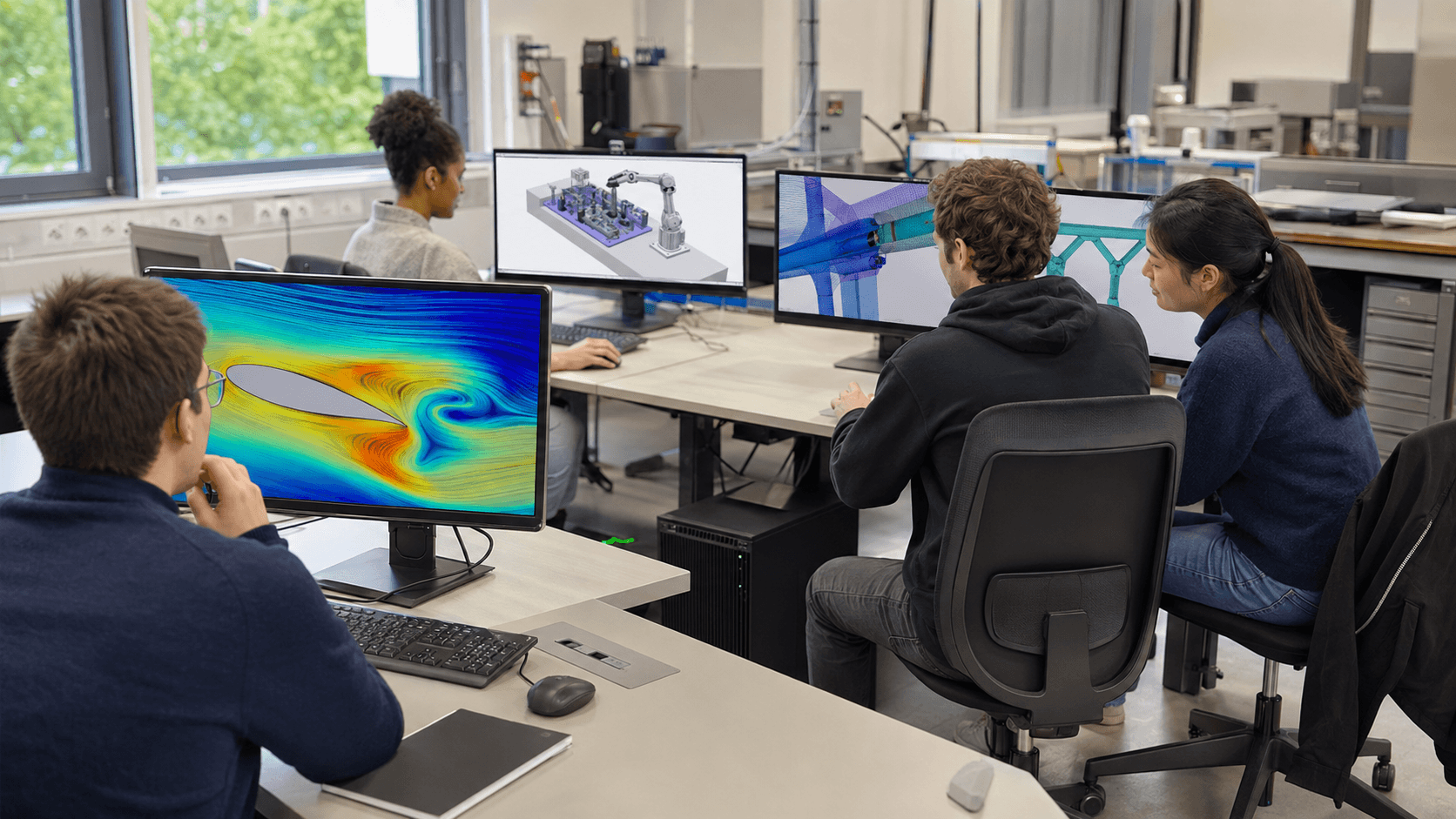
NVIDIA's computer-aided engineering overview spans structural, thermal, fluid, electromagnetic, manufacturing, aerospace, and energy workloads. The academic value is not that every package accelerates identically; it is that one professional GPU platform can support a broad portfolio when software compatibility is validated.
Mechanical and aerospace
CAD assemblies, ray-traced visualization, finite-element analysis, CFD post-processing, thermal work, optimization, and AI surrogate models.
Civil and architecture
BIM coordination, structural models, point clouds, geospatial visualization, rendering, digital twins, and construction simulation.
Electronics and electrical
Electromagnetic and electronics-cooling workflows, PCB visualization, signal or power-integrity tools where GPU acceleration is supported, and embedded-AI development.
Production and manufacturing
Factory-layout review, robotics simulation, synthetic data, digital twins, process optimization, and manufacturing visualization.
Computer science and AI
CUDA and parallel-computing courses, computer graphics, computer vision, local LLM inference, model fine-tuning, simulation research, and multi-user virtual workstations.
This overlap improves utilization. A workstation can support CAD and visualization during teaching hours, batch simulation later, and local inference or student projects outside those windows. NVIDIA's current academic grant program itself lists RTX PRO 6000 support for simulation and modelling research, reflecting that cross-disciplinary positioning.
RTX PRO 6000 vs H200 vs B300
H200 and B300 are often called “AI inference chips,” but that description is too narrow. They are data-center accelerators for AI and high-performance computing, designed for servers with high-bandwidth memory, large-scale interconnect, and centralized operations. RTX PRO 6000 is a professional graphics and compute GPU that can also run serious AI workloads.
| Platform | Memory system | Where it is strongest | Institutional tradeoff |
|---|---|---|---|
| RTX PRO 6000 Blackwell | 96 GB GDDR7 ECC; 1,792 GB/s on the Workstation specification. | Mixed CAD, CAE, rendering, visualization, CUDA, local AI, and workstation or PCIe-server use. | Flexible and locally accessible, but without the HBM bandwidth and scale-up fabric of HGX accelerators. |
| H200 | 141 GB HBM3e; 4.8 TB/s. | Centralized AI/HPC jobs whose performance depends heavily on memory capacity, HBM bandwidth, and multi-GPU server infrastructure. | Requires a data-center platform and does not replace a display-attached professional workstation. |
| B300 / Blackwell Ultra | 288 GB HBM3e; up to 8 TB/s in NVIDIA's HGX reference. | Very large model training and inference, high-concurrency reasoning, and scale-up HGX systems. | Highest infrastructure demands: rack power, cooling, networking, orchestration, scheduling, and specialist operations. |
The H200 figures come from NVIDIA's H200 specifications; the B300 memory and bandwidth are listed in its HGX reference architecture. Aggregate memory across several GPUs is not automatically one shared pool for every application. Model parallelism, interconnect topology, software support, and communication overhead determine whether a workload can use it efficiently.
Which Architecture Should a University Buy?
Choose RTX PRO 6000 workstations when students and researchers need interactive professional applications, local visualization, display output, broad CUDA access, and large but single-node AI workloads. Choose Max-Q where room power, thermals, or GPU density make 300 W a better system-level choice. Choose the passive Server Edition only inside a validated rack server for shared remote sessions or batch jobs.
Choose H200 or B300 when a central research facility has sustained demand for large-model training or inference, HBM-bound HPC, high concurrency, and fast multi-GPU communication—and already has the power, cooling, networking, schedulers, storage, and operators to support that system. A lightly used accelerator cluster is a worse educational investment than a smaller fleet that students can access every day.
A hybrid plan is often strongest: professional RTX workstations for teaching, design, visualization, and development; one shared RTX PRO server for larger local work; and time on H200/B300-class infrastructure only for projects that prove they need it. Containers and consistent CUDA environments help code move between tiers without pretending the hardware is identical.
Before procurement, benchmark the institution's real CAD assemblies, meshes, solvers, renderers, models, context lengths, and number of simultaneous users. Confirm application certification and GPU acceleration with each software vendor. Include CPU, RAM, storage, network, licensing, power, acoustics, cooling, warranty, and remote access in the design. Peak TFLOPS or TOPS should validate a decision—not make it.
Build a GPU Lab Around Real Coursework and Research
VitalMed helps institutions benchmark workloads, size workstations and shared servers, and plan the power, cooling, software, and access model around them.
Explore AI Infrastructure Servicesarrow_forward